Crow’s NestMQTT: An MQTT 5 Workbench for Developers
My first article about Crow’s NestMQTT described how the project started and how AI-assisted development shaped its early implementation. This article looks at the tool from a different angle: which problems it solves, when I reach for it, and what separates it from a general-purpose MQTT client.
Crow’s NestMQTT is a cross-platform desktop client for Windows, Linux, and macOS. I think of it as an MQTT 5 workbench rather than a broker dashboard. Its job is to help a developer move from “messages are arriving” to understanding the topic structure, payload, metadata, timing, and relationships between messages.
Explore an Unfamiliar MQTT System
The first task in many MQTT investigations is discovery. You connect to a broker, subscribe broadly, and try to understand which devices publish to which topics. On an active system, the useful topics can quickly disappear in a stream of telemetry.
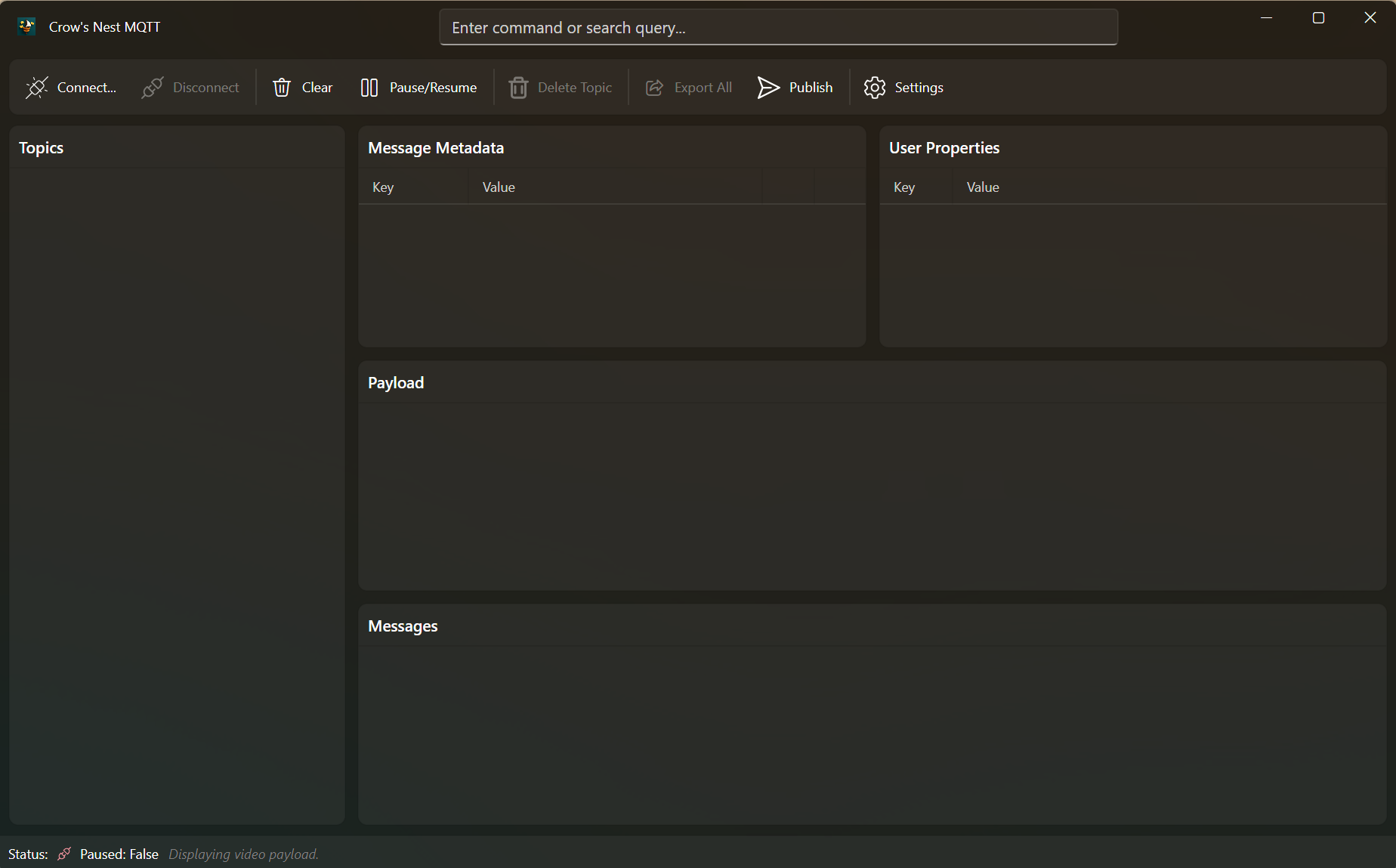
Crow’s NestMQTT keeps the topic hierarchy, message history, payload, and metadata
in one view. Topic search with /term and n or N navigation is useful when
the tree is larger than can be scanned manually. Message filtering then narrows
the selected stream by payload content.
The storage model matters during this kind of exploration. Each topic has its own byte-limited ring buffer. A high-frequency telemetry topic can evict its own old messages, but it does not remove the history of a quiet diagnostic or alarm topic. Limits can be set for individual topic filters, so large binary topics and small status topics do not need the same memory budget.
This makes the client a good fit for:
- learning the topic layout of a device or service;
- finding a low-frequency event among busy telemetry topics;
- comparing the recent history of several topics without allowing one hot topic to consume all retained client memory;
- checking whether a publisher uses the expected QoS, retain flag, expiry interval, and user properties.
Debug MQTT 5 Request/Response Flows
MQTT 5 defines a request/response pattern through response-topic and
correlation-data. The protocol provides the building blocks, but inspecting the
flow manually still means switching topics and comparing correlation values.
Crow’s NestMQTT treats that relationship as a navigation problem. A request is marked while the client waits for a matching response. When a message arrives on the declared response topic with the same correlation data, the request links to the response and can jump directly to it.
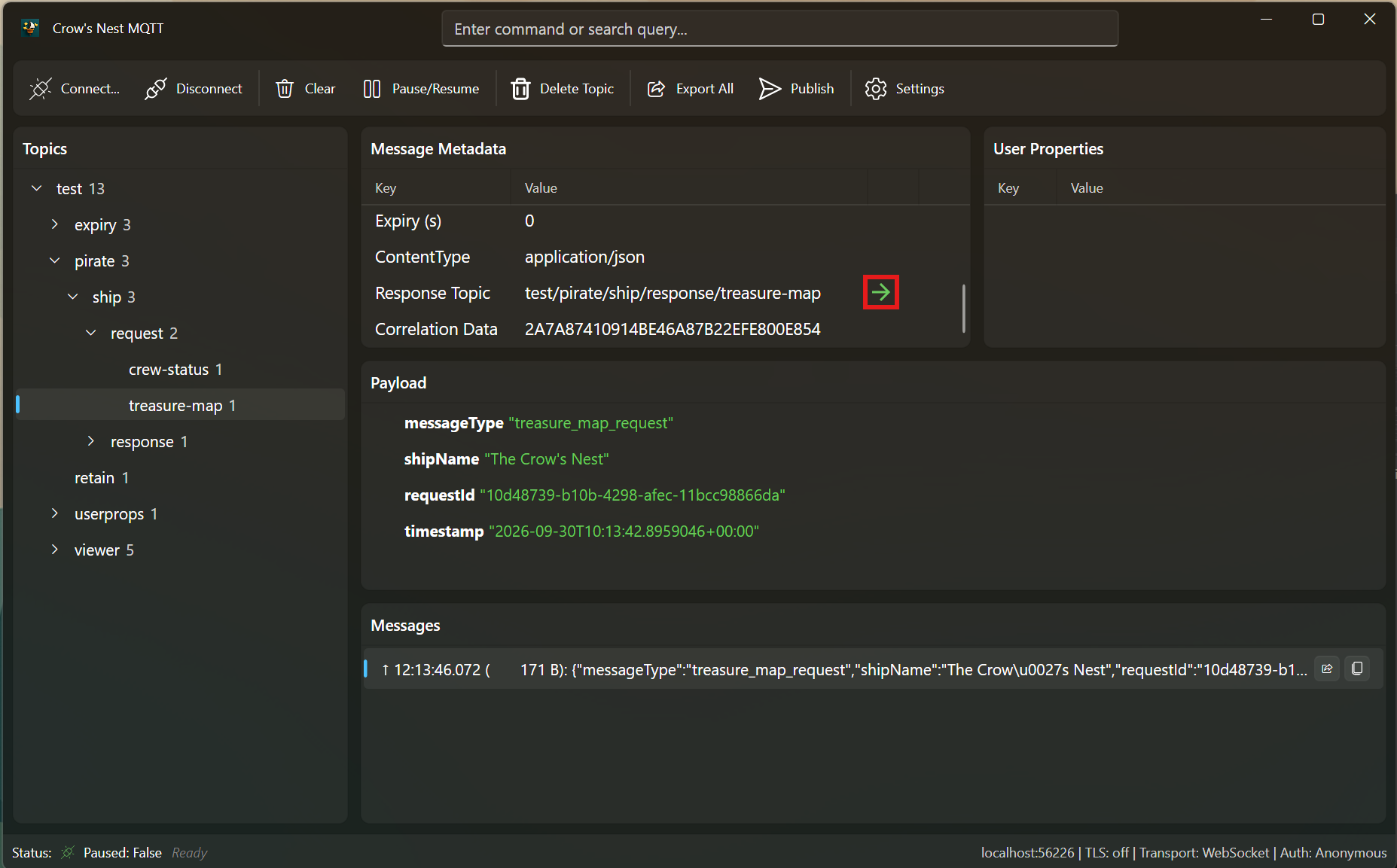
This is particularly useful for command-and-control systems, device management, and services that expose RPC-like operations over MQTT. It answers practical questions quickly:
- Was the request published with both required MQTT 5 properties?
- Did the response arrive on the advertised topic?
- Does its correlation data match byte for byte?
- Did several responses arrive for one request?
- Did the response arrive after the request had effectively become stale?
The publish window can create the same metadata, so the client can also act as a manual caller while a request/response service is being developed.
Inspect Payloads According to Their Meaning
Many MQTT tools assume that every payload is UTF-8 text. That works until a system publishes a camera image, a serialized binary object, compressed data, or another media type.
Crow’s NestMQTT uses the MQTT 5 content-type property to select a payload view.
JSON is shown as a tree, images and videos can be rendered directly, and known
binary media types open in a hex viewer. Raw text remains available when the
declared type is missing, incorrect, or not supported.
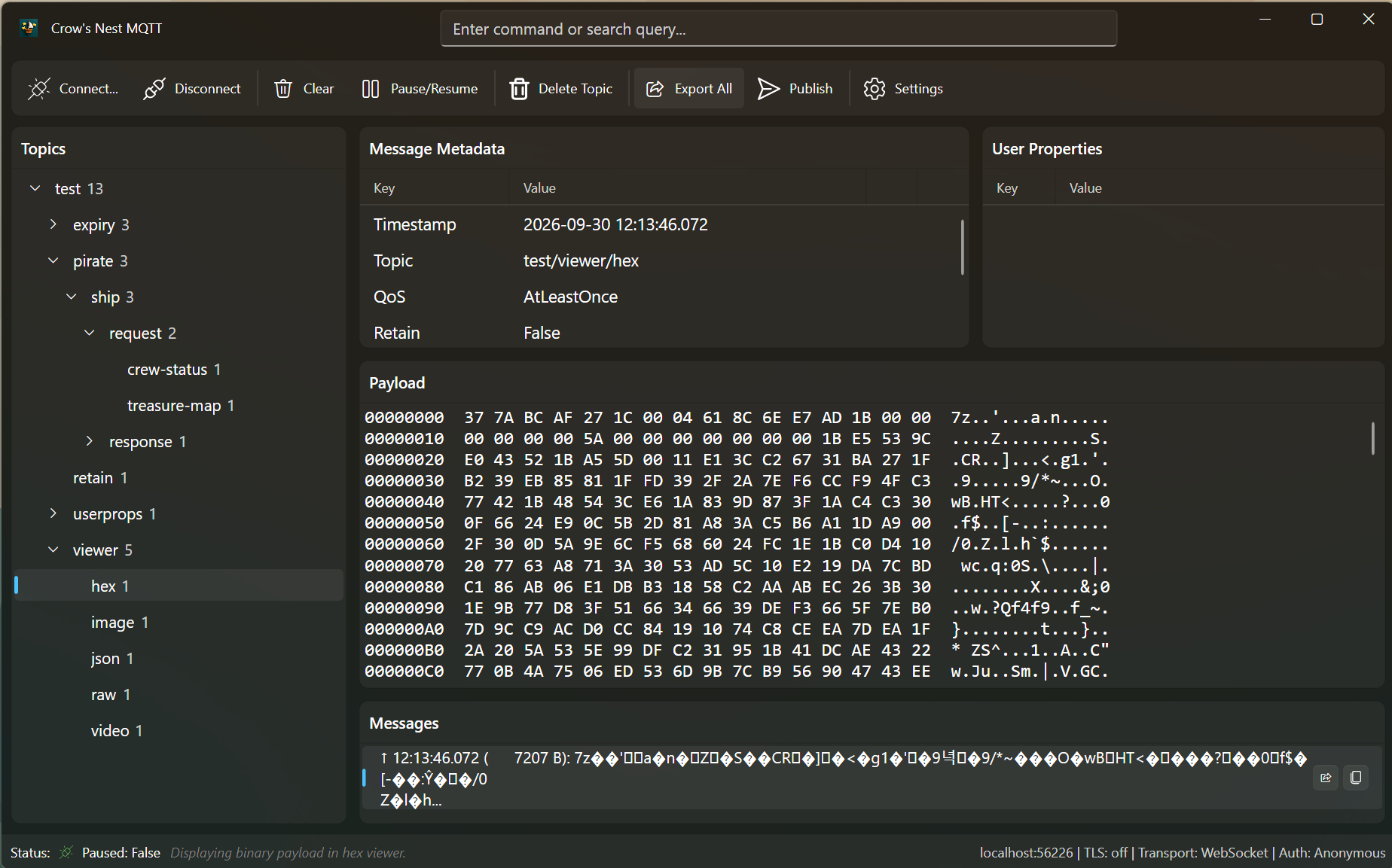
The distinction is more than a UI convenience. It encourages publishers to
describe payloads with protocol metadata instead of relying on topic-name
conventions or out-of-band knowledge. During integration testing, the viewer
also makes incorrect content-type values visible immediately.
This workflow is helpful when validating gateways, camera devices, file transfer over MQTT, or applications that mix JSON control messages with binary data on the same broker.
Understand Traffic Before Adding Observability
Sometimes the first question is not about a particular payload but about the shape of the traffic:
- Which topics are active?
- How many messages has each topic produced?
- What is the average payload size?
- What is the mean interval between messages?
The :stats view maintains lifetime counters independently of the display ring
buffers. Counts and timing therefore remain meaningful even after old message
bodies have been evicted. The table can be sorted and copied as
GitHub-flavored Markdown for an issue, test report, or design discussion.
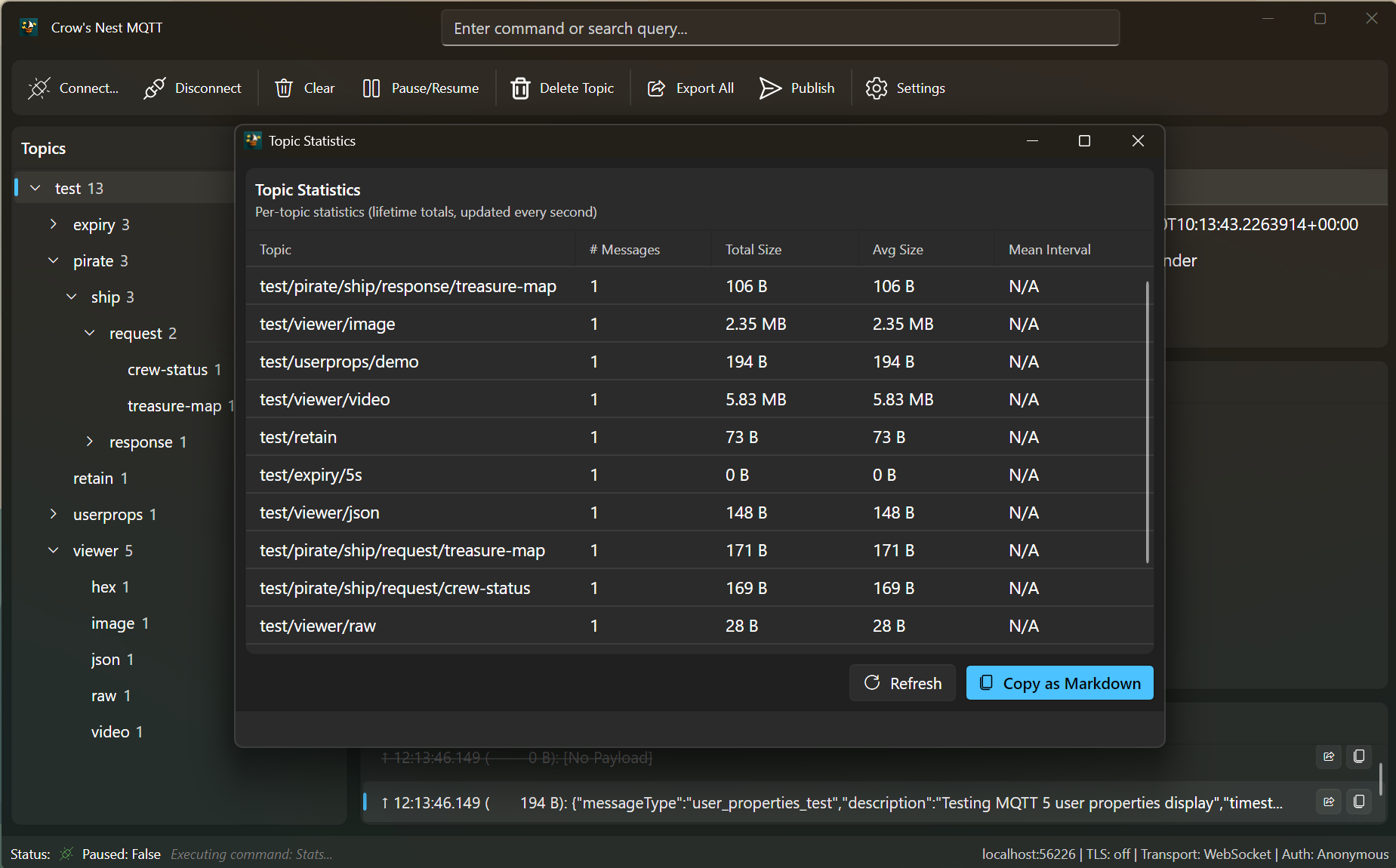
These statistics are not a replacement for Prometheus, OpenTelemetry, or broker metrics. They are useful earlier: while learning a system, reproducing a field issue, or deciding what should be instrumented permanently.
Selected messages or a complete topic history can also be exported with MQTT metadata. That creates a more useful diagnostic artifact than copying payload text alone, because correlation data, user properties, QoS, retain state, and content type are part of the evidence.
Work in Local and Secured Environments
Crow’s NestMQTT also fits development environments where connection setup is part of the problem. It supports TCP and WebSocket transports, TLS, HTTP(S) forward proxies for WebSockets, username/password authentication, and MQTT 5 enhanced authentication.
For Azure Event Grid namespace MQTT brokers, it can acquire and refresh an Entra
ID token through DefaultAzureCredential. For a local .NET Aspire application,
it can discover a referenced mqtt service endpoint from Aspire’s injected
environment variables and connect at startup. Explicit CROWSNEST__*
environment variables can override the detected settings, which is useful for
repeatable demos and integration environments.
This is where a desktop client becomes part of the development topology rather than a separately configured observer.
When Crow’s NestMQTT Is the Right Tool
Use it when the investigation is interactive and protocol details matter:
- exploring an unknown or changing topic hierarchy;
- debugging MQTT 5 metadata and request/response behavior;
- inspecting mixed text, JSON, media, and binary payloads;
- reproducing publishes with MQTT 5 properties;
- collecting short-lived evidence from a development or test broker;
- working mainly from the keyboard through a command palette and Vim-inspired navigation.
Choose another tool when you need unattended collection, long-term metrics, broker administration, load generation, or scripted assertions. A command-line subscriber, an automated integration test, the broker’s management UI, or an observability platform will fit those jobs better.
Installation options and the complete command reference are maintained in the project README. The current release and platform packages are available from GitHub Releases.